Contact Us
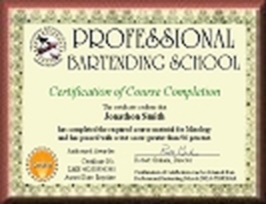
Get a bartending certificate from
Professional Bartending School
Find the bartending job
that's right for you!
Complete PBSO Bartending School's online course and receive your nationally recognized bartending certification!
Are you looking for the best bartending school?
You've come to the right place! For over 28 years we have helped thousands of people just like you achieve their dreams of becoming a professional bartender. In fact, we started the world's first online bartending school 18 years ago and have trained over 30,000 bartenders in the U.S. and Canada! Don't settle for less than the best, most complete online bartender training available!
Online Bartender Training, Certification, & Bartender Licensing!
People
nationwide
use our online class to learn at home at their own pace. You earn authentic bartender certification from our respected, state-approved bartending school. We also offer
state-approved alcohol server licenses (bartender license) online
for bartenders and restaurant staff. With your bartender certification and bartending license / alcohol server permit, you'll be well-prepared to go out and find a bartending job you'll be able to enjoy and make money!
 Get a Bartender License
ADD the Alcohol Server License Course for just $18! This short, state-specific course will help you learn to serve alcohol responsibly!
How does the interactive bartender training course work?
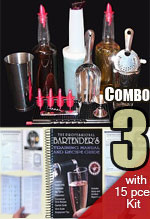
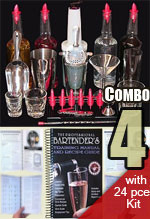
 You can sign up for the online bartending class for just $39.95, or choose a "course combo" package and receive an awesome course package complete with a practice kit and printed bartender training manual. Each bartending lesson contains audio, video demonstrations, color illustrations, and practice exercises. Interactive features such as flash cards and lesson quizzes help verify what you have learned. After completing the course you will be ready to work as a certified professional bartender in any state immediately. PBSO also offers the
Alcohol Server Certification Course
to earn your "bartending license" for the state where you plan to work!
You can sign up for the online bartending class for just $39.95, or choose a "course combo" package and receive an awesome course package complete with a practice kit and printed bartender training manual. Each bartending lesson contains audio, video demonstrations, color illustrations, and practice exercises. Interactive features such as flash cards and lesson quizzes help verify what you have learned. After completing the course you will be ready to work as a certified professional bartender in any state immediately. PBSO also offers the
Alcohol Server Certification Course
to earn your "bartending license" for the state where you plan to work!
 Enroll with confidence
We offer the only 30-day refund policy in the online bartending school business and stand behind our training unconditionally because we care about your satisfaction. You won't find a guarantee like this from any other legitimate bartending school, period.
BBB accredited
 We are an accredited member of the
Better Business Bureau
with an
A+ Rating
which means that we support the BBB's standards for accountability to the public. Few online bartending schools carry this distinction. Click the logo to learn more about the BBB.
We are an accredited member of the
Better Business Bureau
with an
A+ Rating
which means that we support the BBB's standards for accountability to the public. Few online bartending schools carry this distinction. Click the logo to learn more about the BBB.
 Textbook included with course packages!
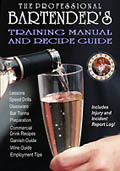
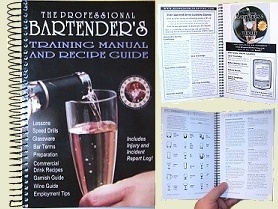 Don't settle for programs that lack printed professional manuals to go along with a course. We include our
193-page school Training Manual & Recipe Guide
FREE with all course Combo Packages! We've added 23 new pages to the third edition of this best-selling bartender training book.
Don't settle for programs that lack printed professional manuals to go along with a course. We include our
193-page school Training Manual & Recipe Guide
FREE with all course Combo Packages! We've added 23 new pages to the third edition of this best-selling bartender training book.
Student Login
New Students
or enroll below
or enroll below

Professional
Bartending School
Bartending School
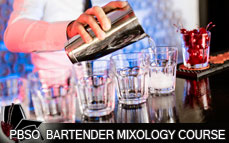
Sign up for the online course
· Instant online access
OR
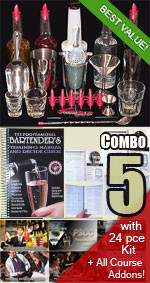
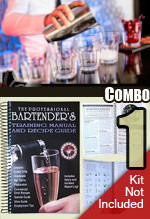
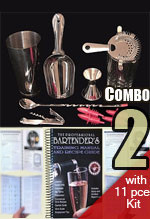
Choose a course combo package deal below
Package Deals!

Course/Combo Packages
Bartending License
Alcohol Server Certification
Addons
Adv. Knowledge Courses
Bartender Training Manual
Manual & Recipe Guide
Register/Enroll Online
Click a section above to expand
Click "Add to Cart" to Enroll
Click "Add to Cart" to Enroll

Bartender Testimonials
I am writing to you with gratitude for offering your online bartending course. It was completely thorough and from an educational point of view, very well done. It was very convenient and I was astonished by the knowledge I gained. I also learned a great deal about interpersonal skills through your course, and am very appreciative for your well stated letter of recommendation. Again, thank you and I have already recommended you to others.
-M.J., Boston, MA
-M.J., Boston, MA
I r
 eally have to hand it to your school. You've put together a great way to start bartending without having to spend much. Since taking the course, I've paid my college tuition and purchased a house with the money I've made bartending! Needless to say, I am happy to endorse your school and would highly recommend it to any potential students!
-S.P., State College, PA
Training approved by California RBS to meet the new state bartender license training requirements
eally have to hand it to your school. You've put together a great way to start bartending without having to spend much. Since taking the course, I've paid my college tuition and purchased a house with the money I've made bartending! Needless to say, I am happy to endorse your school and would highly recommend it to any potential students!
-S.P., State College, PA
New State Requirements!
Alcohol Serving permit / bartending license now required for California!
Get a California Bartender License $18!
Training approved by California RBS to meet the new state bartender license training requirements